Usability Testing
Validating product decisions with real users before they become expensive engineering mistakes.
Services
Prototyping
A prototype is the fastest way to test an idea without building it. Rough concepts can be validated quickly and polished simulations can secure stakeholder approvals. Prototypes will save your team time, money, and the cost of rebuilding something that didn't work. For enterprise software and B2B SaaS products with complex workflows, prototyping is where assumptions get tested before they get shipped.
AI Rapid Prototyping
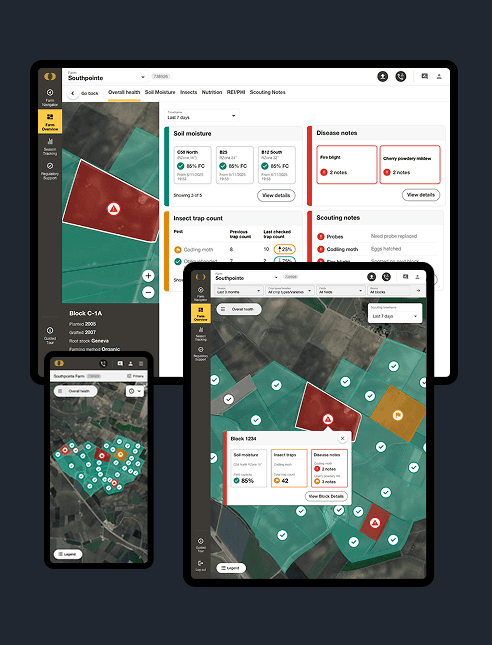
AI rapid prototyping compresses the earliest stage of product exploration by generating and validating concepts faster than traditional methods without sacrificing design quality or strategic intent. Using AI tools integrated directly into the design process moves rough concepts from idea to testable artifact in a fraction of the time, giving your team validated direction before significant development investment is made.
Low-Fidelity & High-Fidelity Prototypes
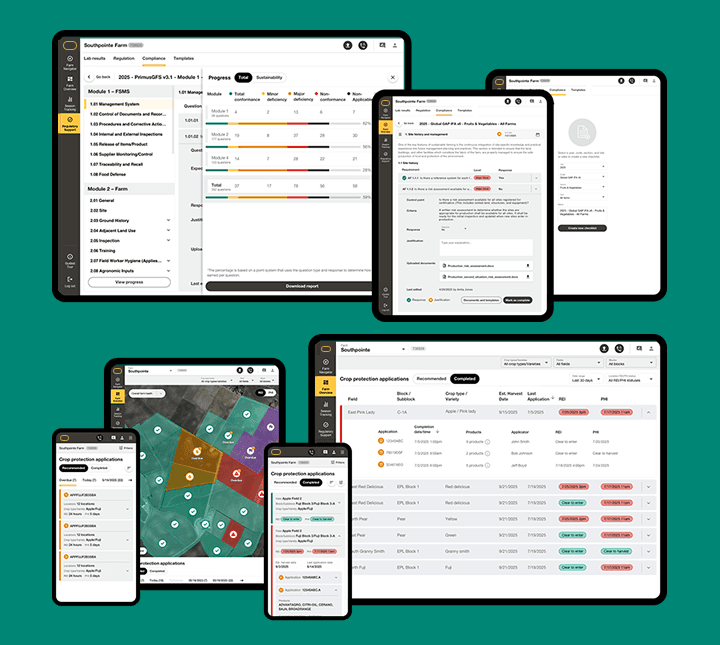
Low-fidelity prototypes include sketches, wireframes, and simple clickable flows. These are built for early-stage validation when the goal is testing structure and logic rather than visual design. High-fidelity prototypes simulate the final product experience closely enough that users interact with them as they would the real thing, making them the right tool for late-stage usability testing, stakeholder presentations, and pre-development validation.
Stakeholder Reviews
Prototypes give stakeholders something concrete to react to rather than abstract ideas. Structured stakeholder review sessions use interactive prototypes to surface misalignment early, build organizational confidence in the design direction, and create a shared reference point for product, design, and engineering teams before development begins.
Developer Handoff
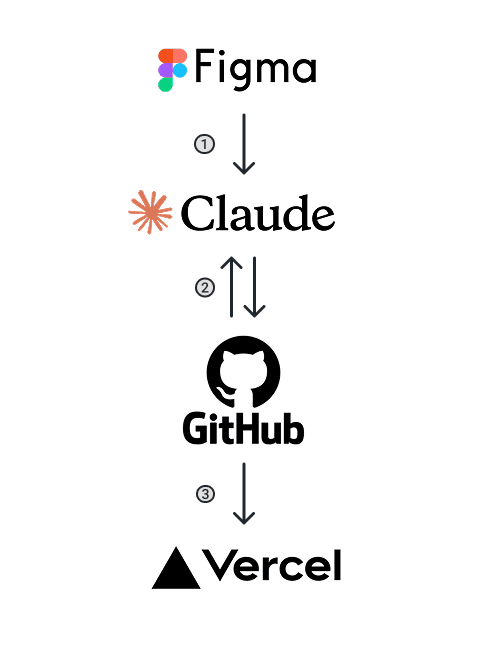
A high-fidelity prototype is only valuable if engineering can build from it accurately. Figma's Code Connect, design tokens, properties, and component behaviors map directly to your codebase so developers see real code snippets alongside design specs. Design.md files accompany handoff, documenting component usage, interaction patterns, and edge cases in a format engineering teams can reference throughout the build without pulling designers back into clarification cycles.
Usability Testing
Usability testing is how you find out whether your product actually works by allowing real users to accomplish real goals without friction, confusion, or abandonment. For product teams building enterprise software and B2B SaaS products, usability testing is the most reliable way to reduce risk before development begins and after it ends.
Writing Scripts & Tasks
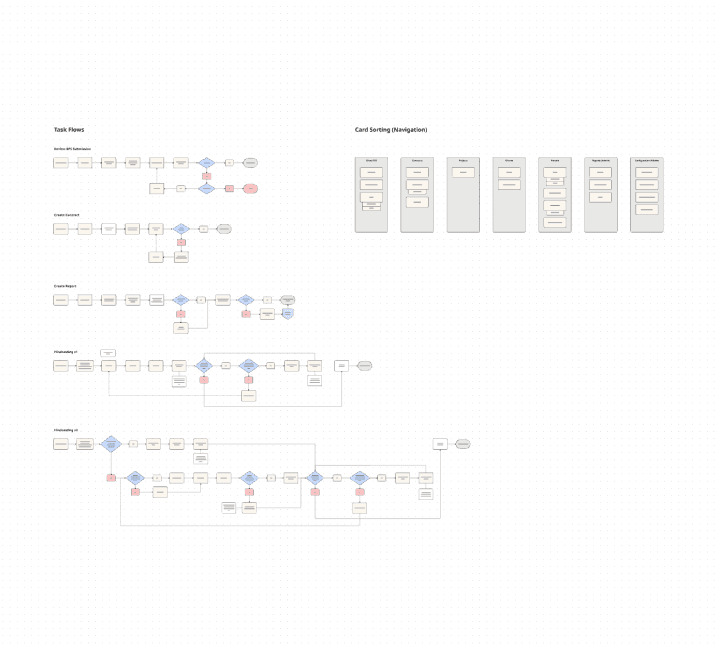
Effective usability testing starts with the right questions. Test scripts and task scenarios are written around your specific product goals by identifying the exact behaviors, decisions, and pain points you need to understand before moving forward. A poorly written test produces misleading data. A well-written one surfaces insights your team can act on immediately.
Moderated Usability Testing
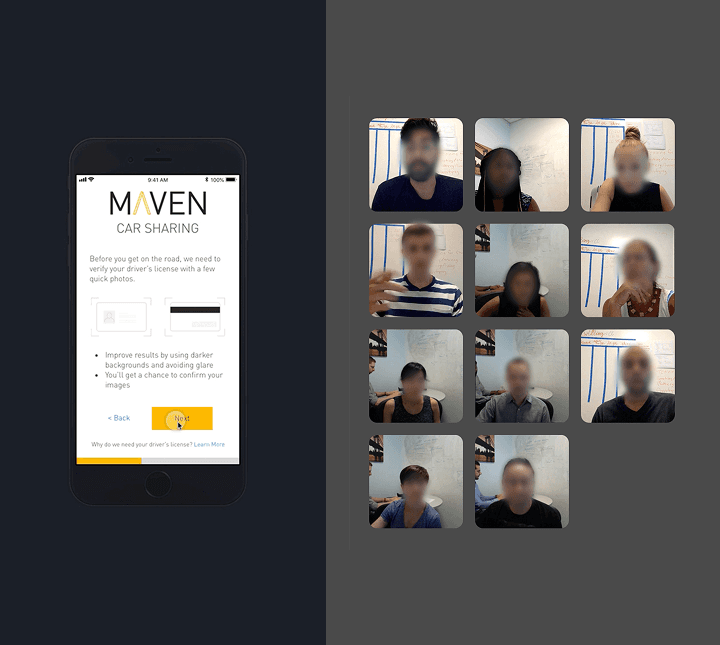
Moderated usability testing places a researcher directly in the session to observe, listen, and ask follow-up questions as real users interact with your product. Small-scale qualitative testing of five to eight participants consistently surfaces the majority of significant usability issues, making it the most efficient method for deep insight early in the design process. Sessions are conducted in-person or remotely depending on your user base and timeline.
Unmoderated Usability Testing
When quantitative data is needed at scale, unmoderated usability testing recruits larger participant pools to complete tasks independently without a facilitator present. This method is suited for validating findings from qualitative research across a broader user base, measuring task completion rates, identifying patterns across diverse user segments, and benchmarking product performance against previous versions or competitors.
Iterative Design
Iterative design closes the loop between usability testing and product improvement, turning raw session data into clear decisions and clear decisions into better product experiences. For enterprise software teams operating on tight development timelines, iteration isn't optional. It's how good products become great ones.
Analyzing & Synthesizing Data
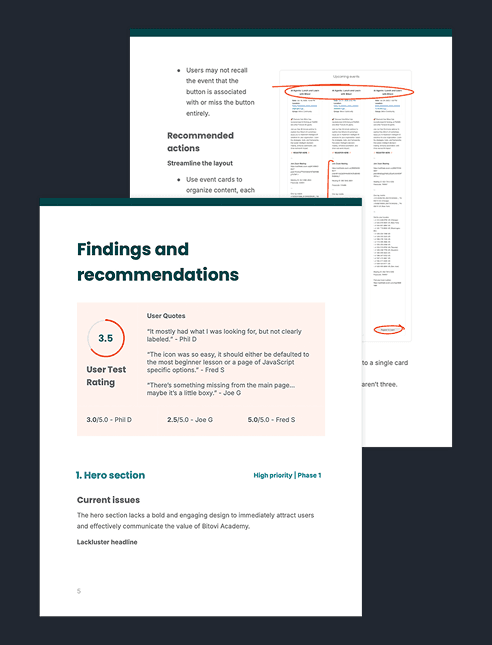
Raw usability data such as session recordings, task completion rates, think-aloud observations, and survey responses must be organized into something actionable. Research analysis and synthesis distills findings into prioritized insight reports and executive summaries that communicate what was learned, what it means for the product, and what should happen next. Delivered in a format your entire team can understand and act on, not just your designers
Decision Making Based on Synthesis
Synthesis creates clarity. But clarity only creates value when it drives decisions. Each round of usability testing produces a prioritized set of design recommendations that are ranked by severity, frequency, and business impact to give your product team a confident, evidence-based foundation for deciding what to fix, what to deprioritize, and what to test again.
Iterating & Moving Forward
Once decisions are made, the design moves in one of two directions. Prototypes are updated and returned to testing when significant changes need validation before engineering touches them. Or refined, fully documented designs are prepared for engineering handoff when the testing data confirms the experience is ready to build. Either way, every iteration brings your product closer to something users can actually use and your team closer to shipping with confidence.

Contact
Reach out today and you’ll get a clear plan, honest advice, and a design expert that cares about the outcome as much as you do. Whether you prefer a quick call or a simple email, getting started is easy.